taskalfa_Nero-AI_Photo_x4

Kyocera vs Konica Minolta Copiers & Printers

Choosing the right copier or printer for your business can be a daunting task with the multitude of options available in the market. Among the leading brands, Kyocera and Konica Minolta stand out for their innovation, reliability, and performance. In this blog, we will delve into a detailed comparison of these two giants in the printing industry to help you make an informed decision.

Brand Overview

Kyocera is renowned for its durable and cost-effective printers and copiers. Founded in 1959 in Kyoto, Japan, Kyocera has built a strong reputation for producing eco-friendly and reliable office equipment. Their devices are known for long-lasting performance and low total cost of ownership.

Konica Minolta, on the other hand, has a rich history dating back to 1873. This Japanese multinational corporation excels in delivering high-quality imaging products. Konica Minolta is synonymous with advanced technology, user-friendly interfaces, and exceptional print quality.

Key Features and Technologies

Kyocera

  1. ECOSYS Technology: Kyocera’s ECOSYS technology focuses on reducing environmental impact and operating costs. The long-life components and minimal waste generation make these printers highly sustainable.
  2. Low Total Cost of Ownership (TCO): Kyocera printers are designed for efficiency. The durable components and reduced need for frequent replacements lead to lower overall costs over the lifespan of the machine.
  3. Exceptional Durability: Known for their robust build, Kyocera printers and copiers can withstand heavy usage, making them ideal for busy office environments.
  4. Mobile Printing Solutions: Kyocera offers a range of mobile printing options, including compatibility with Apple AirPrint, Google Cloud Print, and their own Mobile Print app.

Konica Minolta

  1. bizhub Technology: Konica Minolta’s bizhub series is celebrated for its advanced features, such as superior image quality, high-speed printing, and seamless integration with various office workflows.
  2. User-Friendly Interface: The intuitive touchscreen interfaces on Konica Minolta devices are designed to enhance user experience. Easy navigation and customization options make these printers highly accessible.
  3. Security Features: Konica Minolta places a strong emphasis on security. Their printers come equipped with robust security measures to protect sensitive data and ensure compliance with industry standards.
  4. Sustainable Practices: Konica Minolta is committed to sustainability. Their products are designed with energy-saving features and recyclable components, contributing to a greener environment.

Performance Comparison

Print Quality

  • Kyocera: Offers excellent print quality with sharp text and vibrant graphics. Their devices are particularly good at handling high-volume monochrome printing.
  • Konica Minolta: Known for superior color accuracy and high-resolution outputs, making them ideal for tasks that require exceptional detail and precision.

Speed and Efficiency

  • Kyocera: Typically excels in speed, with many models offering fast printing and copying capabilities, ideal for high-volume environments.
  • Konica Minolta: Also offers high-speed printing, especially in their bizhub series. Their devices are optimized for multitasking and efficient workflow management.

Cost Considerations

  • Kyocera: Known for lower upfront costs and long-term savings due to their durable components and low maintenance requirements.
  • Konica Minolta: While often priced higher initially, their advanced features and superior quality can justify the investment, especially for businesses requiring high-end printing capabilities.

Customer Support and Warranty

Both brands offer robust customer support and comprehensive warranty options. However, the availability and quality of service can vary by region and dealer.

Conclusion

Both Kyocera and Konica Minolta offer exceptional copiers and printers, each with their unique strengths. If sustainability, durability, and low total cost of ownership are your priorities, Kyocera is a great choice. On the other hand, if advanced technology, superior print quality, and a user-friendly interface are crucial for your business, Konica Minolta stands out.

Ultimately, the best choice depends on your specific needs and budget. By understanding the key differences and advantages of each brand, you can make an informed decision that enhances your office productivity and meets your business goals.

Copy-of-Automotive-Banner-Landscape-400-×-214-px-812-×-312-px-1-1 (1)

What is the Difference Between a Drum and Toner?

In the world of printing, two of the most important components that work together to produce high-quality prints are the drum and toner. Although these two work in conjunction with one another, they are distinct and serve different purposes.

Whilst the differences and benefits between a drum and toner may not be apparent at first glance, once you understand these two printer consumables a little better, it will make sense why their replacement and maintenance are essential.

In this blog post, we’ll delve into the specifics of drum units and toners, shedding light on their distinct roles and how they work together to deliver impressive print results.

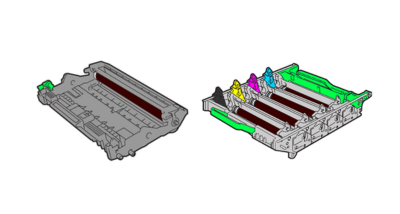
What Is A Drum Unit?

drum unit

Toners, on the other hand, are responsible for the actual color or black-and-white pigmentation of the prints. They contain a powdered mixture of pigments, plastic particles, and other components that determine the color and quality of the prints.

When the printer receives a print command, the toner cartridge releases toner particles onto the developer roller, which then transfers the toner onto the drum unit. The drum unit, in turn, transfers the toner onto the paper to create the desired text or image.

When the toner inside a toner cartridge is fully used or depleted, it is necessary to replace the cartridge with a new one. Toner cartridges are designed to facilitate easy replacement once their toner content is exhausted or running out.

View Our Toner Cartridges

Differences Between A Drum And A Toner

Generally, modern laser printers contain both the drum and toner components, while some printers integrate the toner and drum within a single unit.

One of the benefits of having a separate drum unit and toner cartridge is being able to replace the components individually if your toner runs out or the drum unit becomes damaged. However, if the two components are housed together and one or the other needs replacing then the whole unit will need replacing.

While the drum and toner work together to create a printed page, they are different components with distinct roles in the printing process. Here are some of the key differences between a drum unit and a toner cartridge:

Drum Unit

  • Function: Creates the electrostatic image of the content to be printed on the paper.
  • Durability: Typically, a drum lasts longer than a toner cartridge and requires replacement after printing thousands of prints.
  • Cost: In general, toner cartridges have a higher cost compared to drums. This is due to the more frequent replacement required for toner cartridges.
  • Replacement: Drums and toner cartridges are typically sold separately and need to be replaced independently of each other. When replacing the toner cartridge, it’s important to ensure that the drum is in good condition, as a worn or damaged drum can impact the quality of the final print.

Toner Cartridge

  • Function: Holds the toner powder that is used to create the final image or text on the paper.
  • Durability: On the other hand, the replacement frequency of a toner cartridge depends on the printer usage.
  • Cost: In general, toner cartridges are more expensive than drums. This is due to the more frequent replacement required for toner cartridges.
  • Replacement: Drums and toner cartridges are sold separately and should be replaced independently. When replacing the toner cartridge, check the drum’s condition, as a worn or damaged drum can affect print quality.

When Do You Replace A Toner Cartridge And A Drum Unit?

Toner cartridges and drum units are vital components of laser printers and photocopiers. Although both contribute to the printing process, they serve different functions and have distinct replacement criteria. Here is a general guideline for replacing a toner cartridge and a drum unit:

Toner Cartridge:

  • Replace the toner cartridge when the printer displays a low toner warning or when the print quality deteriorates significantly.
  • Some printers may provide an estimate of the remaining toner level.
  • If the toner cartridge is leaking or damaged, it should be replaced immediately.

Drum Unit:

  • Replace the drum unit if print quality issues persist after replacing the toner cartridge.
  • Signs of a failing drum unit include streaks, spots, and smudges on printed pages.
  • The printer may also display an error message or warning indicating a problem with the drum unit.
  • Replace the drum unit once you reach the manufacturer’s recommended maximum page count, regardless of any visible print quality issues.

Can You Buy A Drum And A Toner Together?

Yes, it is possible to purchase a drum and toner together as a combined unit for some printer models. Some printer models offer these combined units, which are sometimes called “drum units” or “imaging units.”

In laser printers, some models have a single cartridge for both the drum and toner. But in certain machines, these units are separate. This means you can replace the toner or the printer image unit individually, without having to replace the entire unit.

xr:d:DAE_vgNP4I0:37,j:30825396540,t:22071512

How to Maintain Your Printer for Longevity

When, while the lovely valley teems with vapour around me, and the meridian sun strikes the upper surface of the impenetrable foliage of my trees, and but a few stray gleams steal into the inner sanctuary, I throw myself down among the tall grass by the trickling stream; and, as I lie close to the earth, a thousand unknown plants are noticed by me: when I hear the buzz of the little world among the stalks, and grow familiar with the countless indescribable forms of the insects and flies, then I feel the presence of the Almighty, who formed us in his own image, and the breath of that universal love which bears and sustains us, as it floats around us in an eternity of bliss; and then, my friend, when darkness overspreads my eyes, and heaven and earth seem to dwell in my soul and absorb its power, like the form of a beloved mistress, then I often think with longing, Oh, would I could describe these conceptions, could impress upon paper all that is living so full and warm within me, that it might be the mirror of my soul, as my soul is the mirror of the infinite God!

O my friend — but it is too much for my strength — I sink under the weight of the splendour of these visions! A wonderful serenity has taken possession of my entire soul, like these sweet mornings of spring which I enjoy with my whole heart. I am alone, and feel the charm of existence in this spot, which was created for the bliss of souls like mine.

I am so happy, my dear friend, so absorbed in the exquisite sense of mere tranquil existence, that I neglect my talents. I should be incapable of drawing a single stroke at the present moment; and yet I feel that I never was a greater artist than now.

When, while the lovely valley teems with vapour around me, and the meridian sun strikes the upper surface of the impenetrable foliage of my trees, and but a few stray gleams steal into the inner sanctuary, I throw myself down among the tall grass by the trickling stream; and, as I lie close to the earth, a thousand unknown plants are noticed by me: when I hear the buzz of the little world among the stalks, and grow familiar with the countless indescribable forms of the insects and flies, then I feel the presence of the Almighty, who formed us in his own image, and the breath of that universal love which bears and sustains us, as it floats around us in an eternity of bliss; and then, my friend, when darkness overspreads my eyes, and heaven and earth seem to dwell in my soul and absorb its power, like the form of a beloved mistress, then I often think with longing, Oh, would I could describe these conceptions, could impress upon paper all that is living so full and warm within me.

print-2797178_640

Local vs. Network Printers: How Your Business Can Benefit

Choosing the right printer setup for your business is crucial for efficiency, productivity, and cost-effectiveness. Two common options are local printers and network printers. Understanding the differences and benefits of each can help you make an informed decision that best suits your business needs.

What is a Local Printer?

A local printer is directly connected to a single computer via a USB cable or similar connection. It is typically used by one person or a small group in close proximity to the printer.

Advantages of Local Printers

  1. Ease of Use: Local printers are straightforward to set up and use. They require minimal configuration and are ideal for small offices or individual use.
  2. Direct Control: Users have direct control over the printer, which can lead to fewer accidental print jobs and better management of printing tasks.
  3. Cost-Effective for Small Scale: For businesses with minimal printing needs, local printers can be a cost-effective solution as they typically have lower upfront costs compared to network printers.

Disadvantages of Local Printers

  1. Limited Accessibility: Only the computer connected to the printer can send print jobs, which can be inefficient in a larger office setting.
  2. Increased Costs for Multiple Users: If multiple employees need to print, you may need to purchase additional printers, leading to higher overall costs and more maintenance.

What is a Network Printer?

A network printer is connected to a network and can be accessed by multiple computers within the same network. These printers can be wired (Ethernet) or wireless (Wi-Fi).

Advantages of Network Printers

  1. Shared Access: Multiple users can send print jobs to the same printer, making it ideal for larger offices or workgroups.
  2. Centralized Management: Network printers can be managed centrally, allowing IT departments to monitor usage, troubleshoot issues, and update firmware easily.
  3. Reduced Costs: Instead of purchasing multiple local printers, a single network printer can serve the entire office, reducing equipment and maintenance costs.
  4. Flexibility and Convenience: Employees can print from anywhere within the network, which is especially beneficial in environments with mobile or remote work options.

Disadvantages of Network Printers

  1. Complex Setup: Setting up a network printer can be more complex and may require technical knowledge to configure properly.
  2. Potential for Network Issues: Network printers rely on a stable network connection. Network issues can disrupt printing capabilities for the entire office.
  3. Higher Initial Costs: Network printers typically have higher upfront costs, although they can be more cost-effective in the long run for larger businesses.

How Your Business Can Benefit

Assessing Your Needs

  • Small Businesses or Individual Use: If your business is small or you work independently, a local printer may suffice. It’s easy to set up, cost-effective, and ideal for low-volume printing.
  • Medium to Large Businesses: For larger offices with multiple employees, network printers offer significant benefits. They streamline the printing process, reduce the need for multiple devices, and centralize management, which can save time and money.

Improving Efficiency

  • Centralized Printing Solutions: Network printers enhance efficiency by allowing multiple users to print from a single device. This reduces the time spent waiting for a printer to become available and minimizes the need for individual printers at each workstation.
  • Enhanced Security: Network printers often come with advanced security features such as user authentication, secure print release, and encryption, which can protect sensitive information.

Cost Savings

  • Lower Maintenance Costs: Fewer printers mean lower maintenance and repair costs. Network printers are built to handle higher volumes, reducing the frequency of breakdowns.
  • Bulk Supply Savings: Purchasing supplies like toner and paper in bulk for a single network printer can be more cost-effective than buying for multiple local printers.

Conclusion

Choosing between a local and a network printer depends on your business’s size, needs, and budget. While local printers are suitable for smaller operations, network printers offer greater benefits for larger businesses by improving efficiency, reducing costs, and enhancing security. By carefully evaluating your requirements and considering the advantages of each type, you can make an informed decision that best supports your business operations.

printer-1516578_640

The Importance of Regular Printer and Copier Maintenance

In any business, printers and copiers are essential tools that keep operations running smoothly. Despite their importance, they are often overlooked when it comes to regular maintenance. Ensuring these devices are well-maintained can lead to significant benefits, including cost savings, improved efficiency, and extended equipment lifespan. Let’s delve into why regular maintenance of your printers and copiers is crucial for your business.

1. Prevent Costly Repairs

Regular maintenance can help prevent unexpected breakdowns and costly repairs. By addressing minor issues before they escalate, you can avoid expensive service calls and part replacements. Here’s how:

  • Routine Inspections: Regularly checking for worn-out parts, paper jams, and other common issues allows you to fix problems early.
  • Cleaning: Dust and debris can cause mechanical failures and poor print quality. Regular cleaning prevents these issues and keeps your equipment running smoothly.
  • Firmware Updates: Keeping your printer and copier firmware up to date can prevent software-related issues and improve device functionality.

2. Extend Equipment Lifespan

Investing in printers and copiers is a significant expense for any business. Regular maintenance can help you maximize this investment by extending the lifespan of your equipment. Proper care ensures that your devices operate efficiently for as long as possible.

  • Reduced Wear and Tear: Regular maintenance reduces the wear and tear on critical components, preventing premature failure.
  • Optimal Performance: Well-maintained equipment performs better, providing high-quality prints and copies consistently.

3. Improve Print Quality

Maintaining your printers and copiers is essential for achieving high-quality printouts and copies. Poor maintenance can lead to issues such as streaks, smudges, and faded prints, which can affect the professionalism of your documents.

  • Clean Print Heads: Regularly cleaning print heads prevents clogs and ensures sharp, clear prints.
  • Replace Consumables: Timely replacement of toner, ink, and other consumables ensures consistent print quality and prevents damage to the device.

4. Increase Efficiency and Productivity

Well-maintained printers and copiers are less likely to experience downtime, which can disrupt workflow and reduce productivity. Regular maintenance ensures that your devices are always ready to meet the demands of your business.

  • Minimize Downtime: Regular checks and preventative maintenance reduce the likelihood of unexpected breakdowns, keeping your operations running smoothly.
  • Faster Print Speeds: Properly maintained equipment operates at optimal speeds, ensuring that print jobs are completed quickly and efficiently.

5. Enhance Security

Modern printers and copiers are equipped with advanced security features to protect sensitive information. Regular maintenance ensures that these security features are functioning correctly and that your data remains secure.

  • Firmware Updates: Regularly updating firmware can patch security vulnerabilities and improve device security.
  • Secure Printing: Maintenance of security features like user authentication and encryption helps protect sensitive documents from unauthorized access.

6. Reduce Environmental Impact

Regular maintenance not only benefits your business but also has a positive impact on the environment. Well-maintained equipment operates more efficiently, consuming less energy and reducing waste.

  • Energy Efficiency: Properly maintained devices use less power, reducing your business’s carbon footprint.
  • Reduced Waste: Regular maintenance prevents paper jams and print errors, reducing paper waste and the need for reprints.

Tips for Regular Maintenance

To keep your printers and copiers in top condition, follow these maintenance tips:

  • Schedule Regular Check-Ups: Set up a maintenance schedule to inspect and clean your equipment regularly.
  • Use High-Quality Supplies: Use genuine toner, ink, and other consumables recommended by the manufacturer to ensure optimal performance.
  • Train Your Staff: Educate your employees on proper printer and copier usage to prevent common issues and ensure efficient operation.
  • Partner with Professionals: Consider partnering with a professional maintenance service to handle regular inspections, cleaning, and repairs.

Conclusion

Regular printer and copier maintenance is essential for preventing costly repairs, extending equipment lifespan, improving print quality, increasing efficiency, enhancing security, and reducing environmental impact. By prioritizing maintenance, you can ensure that your business’s printing and copying needs are always met, leading to a more productive and cost-effective operation. Don’t wait for issues to arise—start your maintenance routine today and enjoy the benefits of well-maintained equipment.

Marco_PrintCosts_Image_2

Understanding the Components That Determine Your Printing Costs

Printing costs can add up quickly, especially for businesses with high printing demands. Understanding the various components that contribute to these costs can help you manage and reduce them effectively. In this blog, we’ll break down the key factors that influence printing costs and provide tips on how to optimize your printing budget.

1. Printer Purchase Price

The initial cost of purchasing a printer is the most obvious component of printing costs. However, the cheapest printer may not always be the most cost-effective in the long run. Consider the following:

  • Printer Type: Laser printers generally have higher upfront costs but lower per-page printing costs compared to inkjet printers.
  • Features: Printers with advanced features such as duplex printing, wireless connectivity, and multifunction capabilities may have higher purchase prices but can save costs in other areas.

2. Consumables

Consumables, such as ink or toner cartridges, paper, and maintenance kits, are significant ongoing expenses. Understanding the costs associated with these items can help you budget more effectively.

  • Ink/Toner Cartridges: The cost of ink or toner can vary widely between brands and printer models. High-yield cartridges may have a higher upfront cost but can reduce the cost per page.
  • Paper: The type and quality of paper used can affect printing costs. Higher-quality paper is more expensive but may be necessary for professional documents.
  • Maintenance Kits: Some printers require periodic replacement of parts such as fuser units, rollers, and transfer belts, which can add to maintenance costs.

3. Cost Per Page

The cost per page is a crucial metric for understanding printing costs. It combines the cost of consumables and maintenance to determine how much it costs to print a single page.

  • Calculate Cost Per Page: To calculate the cost per page, divide the cost of a cartridge by the number of pages it can print. Add the cost of paper and any maintenance costs.
  • Compare Models: Use the cost per page to compare different printer models and select one that offers the best value for your printing needs.

4. Printer Usage

How you use your printer can significantly impact your printing costs. Consider the following factors:

  • Print Volume: High-volume printing can lead to more frequent replacement of consumables and increased maintenance needs. Choose a printer designed to handle your print volume efficiently.
  • Print Quality: Higher print quality settings use more ink or toner. For internal documents, consider using draft mode to save on consumables.
  • Duplex Printing: Printing on both sides of the paper can reduce paper costs and is environmentally friendly.

5. Energy Consumption

Printers consume energy, and the cost of electricity can add to your overall printing expenses. Consider the following:

  • Energy-Efficient Models: Look for printers with energy-saving features such as automatic sleep mode and ENERGY STAR certification.
  • Usage Patterns: Turn off printers when not in use and avoid leaving them on standby for extended periods.

6. Maintenance and Repairs

Regular maintenance and occasional repairs are inevitable but can be managed to minimize costs.

  • Regular Maintenance: Perform regular maintenance tasks such as cleaning and replacing consumables to prevent costly breakdowns.
  • Service Contracts: Consider a service contract with your printer supplier to cover maintenance and repairs. This can provide peace of mind and potentially reduce costs.

7. Printer Management Solutions

Implementing printer management solutions can help track and control printing costs.

  • Print Monitoring Software: Use software to monitor printer usage, track costs, and identify areas for cost reduction.
  • Print Policies: Establish print policies to encourage cost-saving practices, such as duplex printing and reducing color printing.

Tips for Reducing Printing Costs

  • Choose the Right Printer: Select a printer that matches your printing volume and needs to avoid overpaying for features you don’t use.
  • Buy in Bulk: Purchase consumables in bulk to take advantage of discounts.
  • Optimize Print Settings: Use draft mode for internal documents and duplex printing to save on paper.
  • Regular Maintenance: Keep your printer well-maintained to avoid costly repairs and extend its lifespan.
  • Educate Employees: Train employees on cost-saving printing practices.

Conclusion

Understanding the components that determine your printing costs is the first step toward managing and reducing these expenses. By considering factors such as the purchase price, consumables, cost per page, printer usage, energy consumption, maintenance, and printer management solutions, you can make informed decisions that optimize your printing budget. Implement these tips and strategies to keep your printing costs under control and ensure efficient, cost-effective operations for your business.

money-saving-tips-home-printers

10 Ways to Reduce Your Printing Costs

Printing costs can quickly add up for businesses, affecting the bottom line. However, with a few strategic changes and practices, you can significantly reduce these expenses. Here are ten effective ways to cut down on your printing costs without compromising on quality.

1. Implement Duplex Printing

One of the simplest ways to reduce paper usage and costs is to enable duplex printing, which prints on both sides of the paper.

  • How to Enable: Most modern printers have a duplex printing option in their settings. Set this as the default mode for all print jobs.
  • Benefits: This can cut your paper costs by up to 50% and is also environmentally friendly.

2. Use Draft Mode for Internal Documents

When printing documents for internal use, switch to draft mode to save on ink or toner.

  • How to Enable: In your printer settings, select “draft” or “economy” mode.
  • Benefits: This mode uses less ink or toner, reducing the frequency of cartridge replacements.

3. Choose Energy-Efficient Printers

Opt for printers that have energy-saving features to reduce electricity costs.

  • What to Look For: ENERGY STAR certified printers are designed to be energy-efficient.
  • Benefits: Lower energy consumption translates to reduced utility bills.

4. Print Only What You Need

Adopt a print-on-demand approach to minimize waste and unnecessary printing.

  • How to Implement: Encourage employees to think twice before printing and to print only essential documents.
  • Benefits: Reduces both paper and ink/toner usage.

5. Utilize Digital Documents

Wherever possible, use digital documents instead of printed ones.

  • How to Implement: Encourage the use of PDFs, email, and other digital communication methods.
  • Benefits: Cuts down on paper and ink/toner costs, and also streamlines document management.

6. Buy High-Yield Cartridges

Invest in high-yield ink or toner cartridges that provide more prints per cartridge.

  • What to Look For: Check the page yield specifications when purchasing cartridges.
  • Benefits: Although more expensive upfront, high-yield cartridges have a lower cost per page and require less frequent replacement.

7. Regular Maintenance

Keep your printers in good working condition to avoid costly repairs and ensure efficient operation.

  • How to Implement: Schedule regular cleaning and maintenance checks.
  • Benefits: Prevents breakdowns, improves print quality, and extends the lifespan of your printers.

8. Use Print Management Software

Implement print management software to monitor and control printing activities.

  • What to Look For: Software that tracks usage, sets quotas, and enforces print policies.
  • Benefits: Helps identify areas of excessive printing and enforce cost-saving measures.

9. Consolidate Printing Devices

Reduce the number of printers in your office by using centralized, multifunction devices.

  • How to Implement: Replace individual printers with networked multifunction printers (MFPs) that handle printing, copying, scanning, and faxing.
  • Benefits: Lower maintenance and operational costs, and better utilization of resources.

10. Educate Employees

Train your staff on best printing practices to foster a culture of cost-consciousness.

  • How to Implement: Conduct workshops or distribute guidelines on efficient printing habits.
  • Benefits: Encourages responsible printing behavior, reducing overall costs.

Conclusion

By implementing these ten strategies, your business can significantly reduce printing costs while maintaining productivity and print quality. From adopting duplex printing and draft mode to investing in high-yield cartridges and print management software, each step contributes to a more cost-effective and efficient printing environment. Start making these changes today and enjoy the benefits of lower printing expenses and a greener, more sustainable office.

1641843797-915-printing-press

A Brief History of Printers and Printing Technology

Printing has a long and fascinating history that spans thousands of years, evolving from ancient methods to the advanced technologies we use today. Let’s take a journey through time to explore the key milestones in the history of printing.

Ancient Printing Methods

Woodblock Printing (3rd Century AD)

The origins of printing can be traced back to ancient China, where woodblock printing was developed.

  • Process: Artisans carved images and text into wooden blocks, applied ink, and pressed the blocks onto paper or fabric.
  • Significance: This method was used for printing on textiles and later for reproducing Buddhist scriptures, making it one of the earliest forms of printing.

The Birth of Movable Type

Movable Type Printing (1040 AD)

The next major advancement came with the invention of movable type printing by Bi Sheng in China.

  • Process: Individual characters were made from clay and placed into an iron frame. These could be rearranged and reused to print different texts.
  • Significance: Movable type allowed for more efficient and versatile printing compared to woodblock printing.

The Printing Revolution

The Gutenberg Press (1440 AD)

Johannes Gutenberg, a German blacksmith, introduced the mechanical movable type printing press, which revolutionized the printing industry.

  • Process: Gutenberg’s press used metal movable type and an innovative printing press mechanism to transfer ink onto paper.
  • Significance: This invention made mass production of books possible, leading to the spread of knowledge and literacy during the Renaissance.

Industrial Era Innovations

Steam-Powered Printing Press (1800s)

The Industrial Revolution brought significant advancements in printing technology, including the steam-powered printing press.

  • Inventors: Friedrich Koenig and Andreas Friedrich Bauer developed the first steam-powered press in 1814.
  • Significance: These presses could print much faster than manual presses, drastically increasing the volume of printed materials and reducing costs.

Lithography (1796)

Alois Senefelder invented lithography, a printing method based on the principle that oil and water do not mix.

  • Process: Images were drawn with a greasy substance on a flat stone, then treated with water and ink. The ink adhered only to the greasy areas, which were then pressed onto paper.
  • Significance: Lithography allowed for high-quality image reproduction and was widely used for printing artwork and maps.

The Advent of Modern Printing

Offset Printing (1875)

Offset printing, invented by Robert Barclay, became the dominant commercial printing method in the 20th century.

  • Process: Ink is transferred from a plate to a rubber blanket, then onto the printing surface. This indirect method produces high-quality prints and is efficient for large print runs.
  • Significance: Offset printing remains a staple in the publishing industry due to its reliability and quality.

Photocopying (1938)

Chester Carlson invented the first photocopying process, known as xerography.

  • Process: Carlson’s process used static electricity to transfer toner to paper, which was then fused with heat.
  • Significance: Photocopying revolutionized office work, making it easy to reproduce documents quickly and cheaply.

Digital Printing Era

Inkjet Printers (1970s)

Inkjet printing technology was developed in the 1970s and became commercially available in the 1980s.

  • Process: Inkjet printers spray tiny droplets of ink onto paper to create images and text.
  • Significance: Inkjet printers are popular for their affordability, ease of use, and ability to print high-quality color images.

Laser Printers (1970s)

Laser printers, introduced by Xerox in 1977, marked another leap in printing technology.

  • Process: A laser beam creates an electrostatic image on a drum, which attracts toner particles. The toner is then transferred to paper and fused with heat.
  • Significance: Laser printers are known for their speed, precision, and cost-effectiveness for high-volume printing.

The Rise of 3D Printing

3D Printing (1980s)

3D printing, also known as additive manufacturing, was developed in the 1980s and has rapidly advanced in recent years.

  • Process: 3D printers build objects layer by layer from digital models, using materials such as plastic, metal, and resin.
  • Significance: 3D printing has applications in various industries, including manufacturing, healthcare, and aerospace, enabling rapid prototyping and custom production.

Conclusion

From ancient woodblock printing to the cutting-edge technology of 3D printing, the history of printing is marked by continuous innovation and advancement. Each breakthrough has made printing more accessible, efficient, and versatile, profoundly impacting society and the dissemination of information. As we look to the future, we can expect further innovations that will continue to transform how we print and share knowledge.

copier-17310_640

A Brief History of Printers and Printing Technology

Printing has a long and fascinating history that spans thousands of years, evolving from ancient methods to the advanced technologies we use today. Let’s take a journey through time to explore the key milestones in the history of printing.

Ancient Printing Methods

Woodblock Printing (3rd Century AD)

The origins of printing can be traced back to ancient China, where woodblock printing was developed.

  • Process: Artisans carved images and text into wooden blocks, applied ink, and pressed the blocks onto paper or fabric.
  • Significance: This method was used for printing on textiles and later for reproducing Buddhist scriptures, making it one of the earliest forms of printing.

The Birth of Movable Type

Movable Type Printing (1040 AD)

The next major advancement came with the invention of movable type printing by Bi Sheng in China.

  • Process: Individual characters were made from clay and placed into an iron frame. These could be rearranged and reused to print different texts.
  • Significance: Movable type allowed for more efficient and versatile printing compared to woodblock printing.

The Printing Revolution

The Gutenberg Press (1440 AD)

Johannes Gutenberg, a German blacksmith, introduced the mechanical movable type printing press, which revolutionized the printing industry.

  • Process: Gutenberg’s press used metal movable type and an innovative printing press mechanism to transfer ink onto paper.
  • Significance: This invention made mass production of books possible, leading to the spread of knowledge and literacy during the Renaissance.

Industrial Era Innovations

Steam-Powered Printing Press (1800s)

The Industrial Revolution brought significant advancements in printing technology, including the steam-powered printing press.

  • Inventors: Friedrich Koenig and Andreas Friedrich Bauer developed the first steam-powered press in 1814.
  • Significance: These presses could print much faster than manual presses, drastically increasing the volume of printed materials and reducing costs.

Lithography (1796)

Alois Senefelder invented lithography, a printing method based on the principle that oil and water do not mix.

  • Process: Images were drawn with a greasy substance on a flat stone, then treated with water and ink. The ink adhered only to the greasy areas, which were then pressed onto paper.
  • Significance: Lithography allowed for high-quality image reproduction and was widely used for printing artwork and maps.

The Advent of Modern Printing

Offset Printing (1875)

Offset printing, invented by Robert Barclay, became the dominant commercial printing method in the 20th century.

  • Process: Ink is transferred from a plate to a rubber blanket, then onto the printing surface. This indirect method produces high-quality prints and is efficient for large print runs.
  • Significance: Offset printing remains a staple in the publishing industry due to its reliability and quality.

Photocopying (1938)

Chester Carlson invented the first photocopying process, known as xerography.

  • Process: Carlson’s process used static electricity to transfer toner to paper, which was then fused with heat.
  • Significance: Photocopying revolutionized office work, making it easy to reproduce documents quickly and cheaply.

Digital Printing Era

Inkjet Printers (1970s)

Inkjet printing technology was developed in the 1970s and became commercially available in the 1980s.

  • Process: Inkjet printers spray tiny droplets of ink onto paper to create images and text.
  • Significance: Inkjet printers are popular for their affordability, ease of use, and ability to print high-quality color images.

Laser Printers (1970s)

Laser printers, introduced by Xerox in 1977, marked another leap in printing technology.

  • Process: A laser beam creates an electrostatic image on a drum, which attracts toner particles. The toner is then transferred to paper and fused with heat.
  • Significance: Laser printers are known for their speed, precision, and cost-effectiveness for high-volume printing.

The Rise of 3D Printing

3D Printing (1980s)

3D printing, also known as additive manufacturing, was developed in the 1980s and has rapidly advanced in recent years.

  • Process: 3D printers build objects layer by layer from digital models, using materials such as plastic, metal, and resin.
  • Significance: 3D printing has applications in various industries, including manufacturing, healthcare, and aerospace, enabling rapid prototyping and custom production.

Conclusion

From ancient woodblock printing to the cutting-edge technology of 3D printing, the history of printing is marked by continuous innovation and advancement. Each breakthrough has made printing more accessible, efficient, and versatile, profoundly impacting society and the dissemination of information. As we look to the future, we can expect further innovations that will continue to transform how we print and share knowledge.

xr:d:DAFp1Rjs3Cg:24,j:752499081161494749,t:23072813

Office Hygiene: Copiers and Printers Cleaning Precautions

Maintaining office hygiene is crucial for creating a healthy and productive work environment. Copiers and printers are high-touch surfaces that can harbor germs and dirt, making regular cleaning and maintenance essential. Here are some important precautions and tips to ensure your copiers and printers remain clean and safe for everyone in the office.

Why Office Hygiene Matters

Before diving into the cleaning precautions, it’s important to understand why maintaining hygiene around office equipment is vital:

  • Health and Safety: Regular cleaning reduces the spread of germs and bacteria, minimizing the risk of illness among employees.
  • Equipment Longevity: Proper maintenance and cleaning can extend the lifespan of your copiers and printers, preventing costly repairs and replacements.
  • Print Quality: Dust and debris can affect the performance of printers and copiers, leading to poor print quality and paper jams.

Cleaning Precautions for Copiers and Printers

1. Turn Off and Unplug Equipment

Before starting any cleaning process, always turn off and unplug the printer or copier. This ensures your safety and prevents any electrical hazards.

  • Precaution: Make sure to unplug the device to avoid electrical shocks or damage to the equipment.

2. Use the Right Cleaning Supplies

Using appropriate cleaning supplies is crucial to avoid damaging sensitive components.

  • Recommended Supplies:
    • Soft, lint-free cloths
    • Isopropyl alcohol (70% or higher)
    • Compressed air canisters
    • Manufacturer-recommended cleaning kits
  • Avoid: Harsh chemicals, abrasive cloths, and excessive moisture, as these can damage the device.

3. Clean External Surfaces

Regularly wipe down the external surfaces of copiers and printers to remove dust, fingerprints, and germs.

  • How To:
    • Dampen a soft cloth with a small amount of isopropyl alcohol.
    • Gently wipe down the exterior surfaces, including the control panel, buttons, and handles.
    • Use a dry cloth to remove any remaining moisture.

4. Focus on High-Touch Areas

High-touch areas, such as control panels and paper trays, require more frequent cleaning.

  • How To:
    • Clean these areas daily or after each use with disinfectant wipes or a cloth dampened with isopropyl alcohol.
    • Pay special attention to buttons and touchscreens.

5. Clean the Paper Tray and Output Tray

Dust and debris can accumulate in paper trays, leading to paper jams and print quality issues.

  • How To:
    • Remove the paper from the tray.
    • Use a lint-free cloth to wipe down the tray and remove any dust or debris.
    • For stubborn debris, use a compressed air canister to blow out particles.

6. Clean the Scanner Glass

Smudges and dust on the scanner glass can affect the quality of scanned documents.

  • How To:
    • Use a soft, lint-free cloth dampened with a small amount of isopropyl alcohol.
    • Gently wipe the scanner glass, ensuring no streaks are left behind.
    • Dry the glass with a clean, dry cloth.

7. Maintain the Print Heads and Rollers

Print heads and rollers are critical components that require periodic cleaning to ensure optimal performance.

  • How To:
    • Follow the manufacturer’s instructions for cleaning print heads and rollers.
    • Use cleaning kits recommended by the printer manufacturer.
    • Avoid touching print heads and rollers with bare hands to prevent damage.

Regular Maintenance Tips

1. Schedule Regular Professional Maintenance

In addition to routine cleaning, schedule regular maintenance checks by professionals to ensure your equipment remains in top condition.

  • Why: Professional technicians can identify and address potential issues before they become major problems.

2. Replace Consumables Promptly

Regularly check and replace consumables such as toner, ink cartridges, and maintenance kits.

  • Why: Using worn-out consumables can affect print quality and lead to equipment damage.

3. Update Firmware and Software

Keep your copiers and printers’ firmware and software up to date to ensure they run smoothly and securely.

  • How To: Regularly check for updates from the manufacturer and install them as needed.

Employee Education

Educating employees on proper usage and cleaning practices is essential for maintaining office hygiene.

  • Training: Provide training on how to clean and maintain copiers and printers.
  • Guidelines: Display clear guidelines near the equipment to remind users of best practices.

Conclusion

Maintaining hygiene around copiers and printers is essential for the health and safety of your employees and the longevity of your equipment. By following these cleaning precautions and regular maintenance tips, you can ensure a clean, efficient, and healthy office environment. Encourage everyone in the office to participate in these practices to create a collective effort towards a cleaner workplace.